MediaPortal 2 Alpha 4 released

We are proud to offer a special Christmas gift for you: MediaPortal 2 Alpha 4!

Although this version is still tagged "Alpha", which means there might be still problems, don't hesitate to try it. It works very smoothly and will probably be the last Alpha release before we take the next steps to a "Beta" release! Be sure to read the instructions at the end of this news regarding installation, upgrade and extension compatibility.

Why MediaPortal 2? If you don't know what it's all about, read the blog: MediaPortal 2: What does it bring to the table? or just give it a go and find out what the most advanced media center dares to offer you in future.

Summary of changes

This release brings a lot of new technologies to your HTPC. We upgraded to .NET 4.5.1 framework, switched from SlimDX to SharpDX, switched the default database to SQLite, updated many 3rd party libraries, implemented new features and of course fixed some bugs.

gear-icon

  • Improved user experience:
    • Major improvements to Media Library navigation and layouts, user selections are now saved and reused the next time. This affects filter, sorting and layout of each screen.
    • Reduced complexity in Media Library menu items, moved filters into own dialog.
    • Added support for browsing Media Library shares by filesystem structure.
    • Improved GUI performance due to newly added VirtualizingWrapPanel (which reduces memory required and speeds up display because only visible items are allocated).
    • Improved media importing performance.
    • Improved video thumbnail creation.
    • Improved database performance with no size limits due to SQLite as new default database.
  • Fixes
    • Browsing network shares could fail under certain cases.
    • Some minor fixes in the MediaPortal UPnP library.
  • Updated plugins
    • OnlineVideos plugin is included in this release.
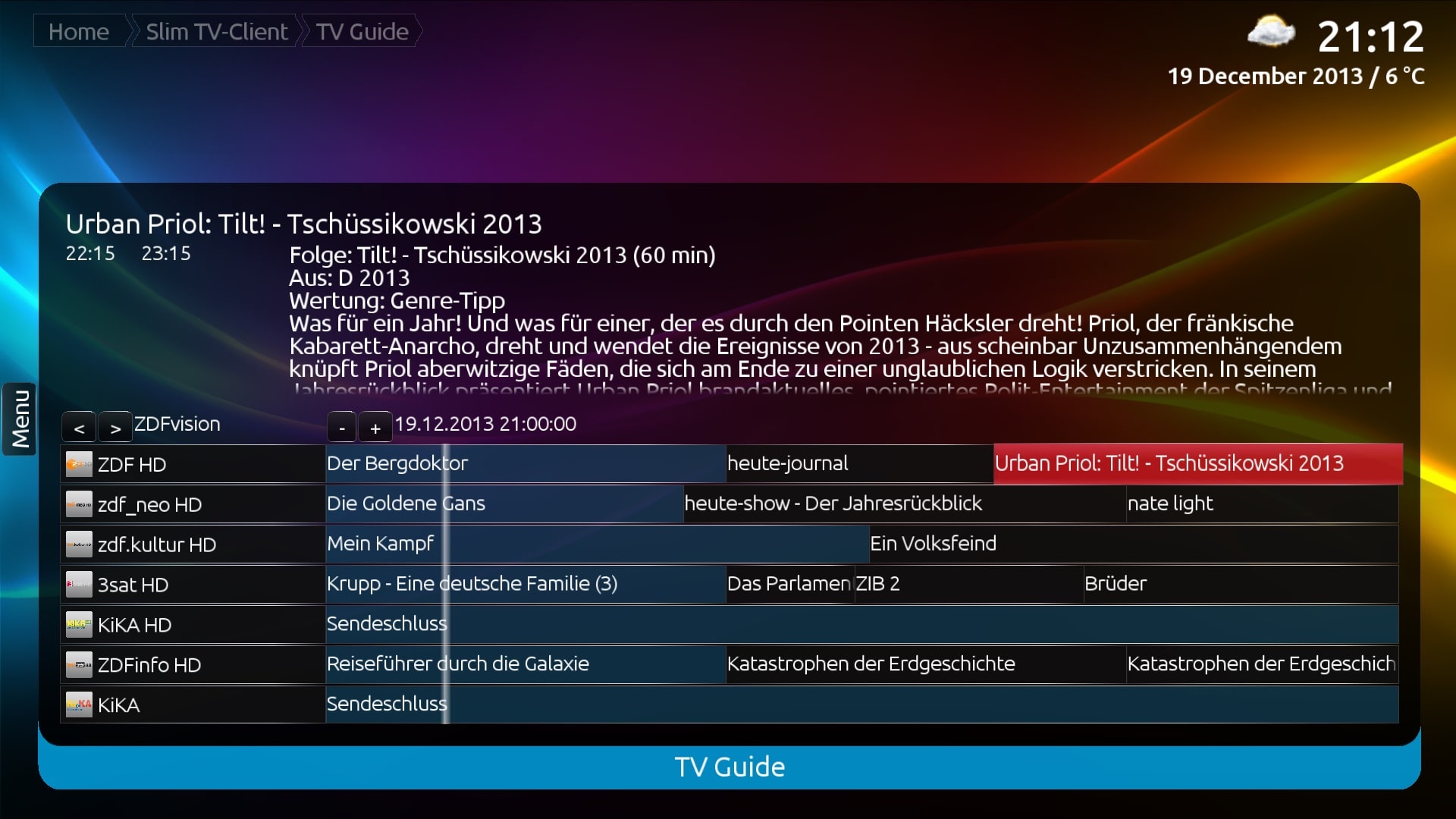
    • SlimTV plugin (both NativeTV and MPExtended) has been significantly improved for Alpha 4 release.
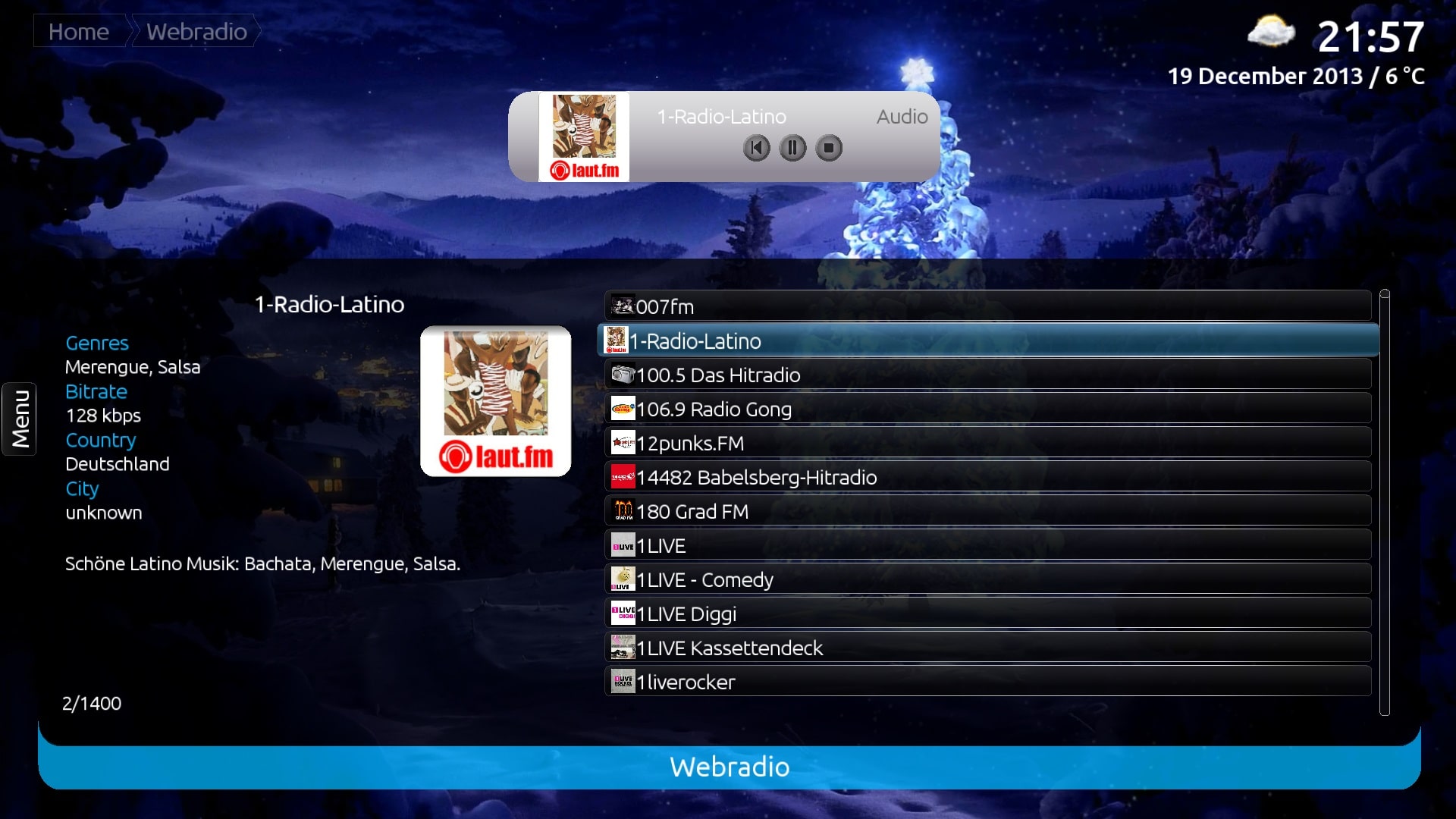
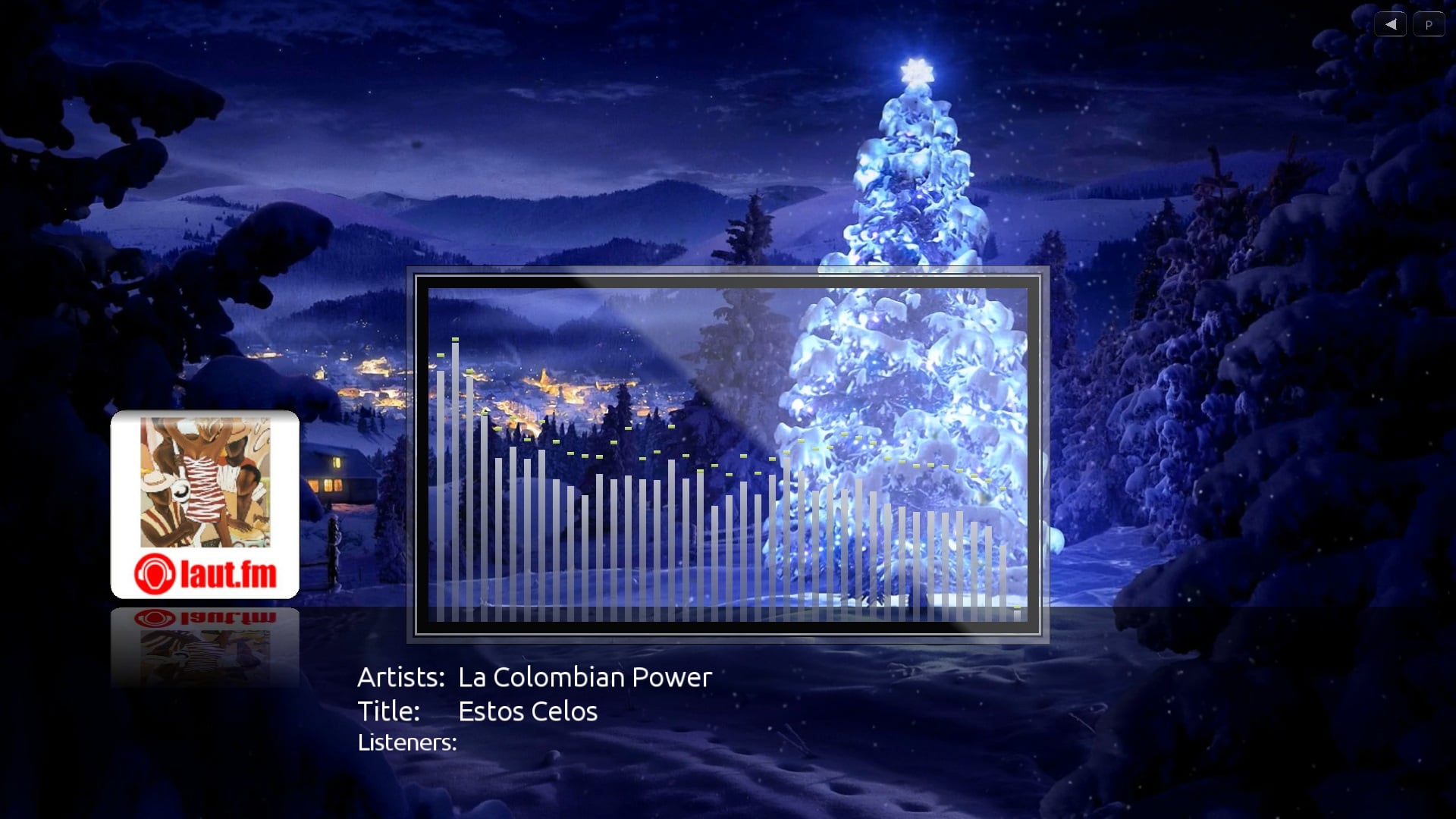
    • WebRadio plugin to play your favourite web radio streams inside MP2!
  • More plugins are available! (via our MP2 Plugins Downloads section on the website and forum)
    • WiFi configuration plugin (included).
    • CEC remote plugin allows controlling MP2.

The full change log is available here: MediaPortal 2 Alpha 4 change log


Screenshots

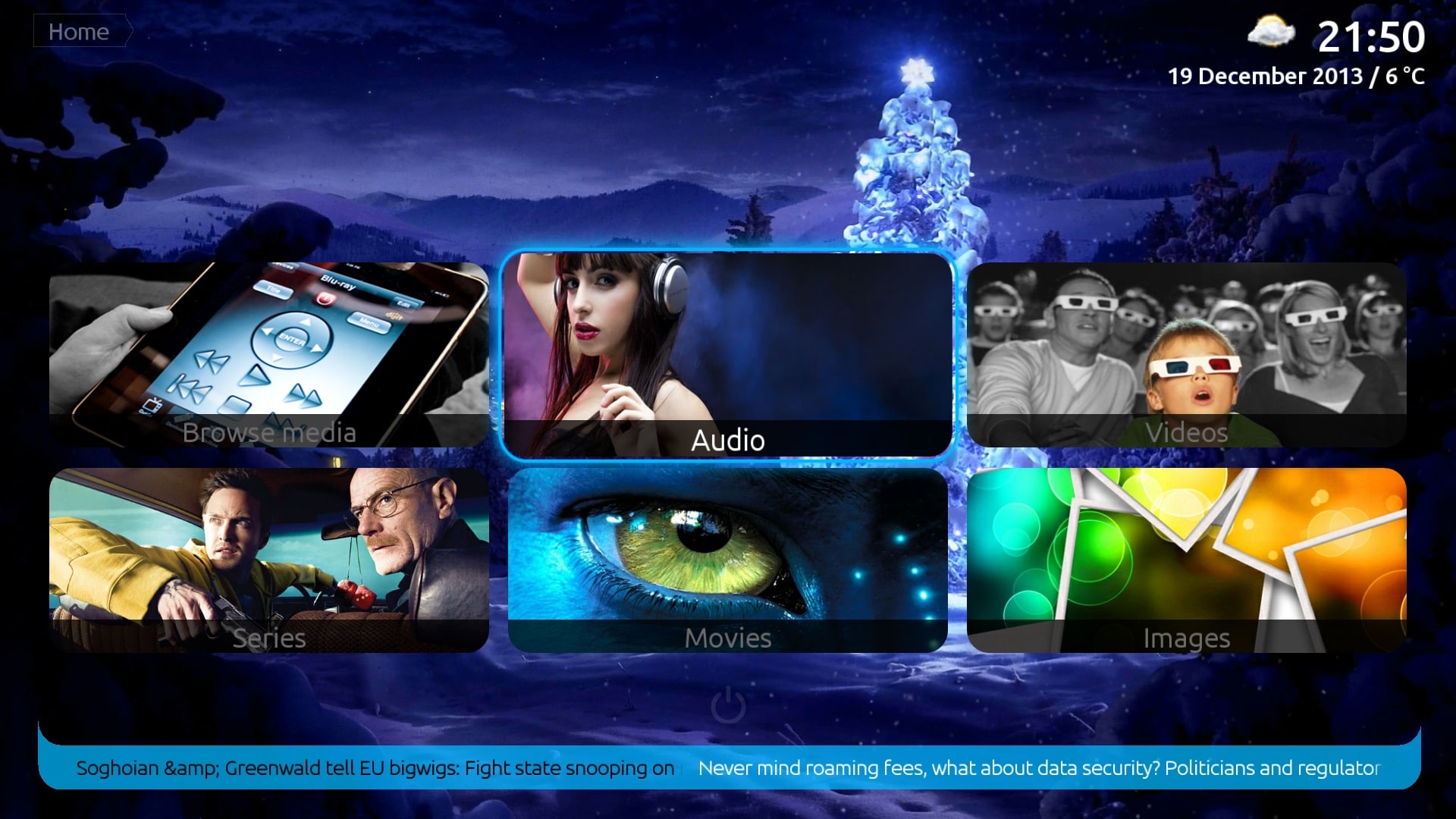
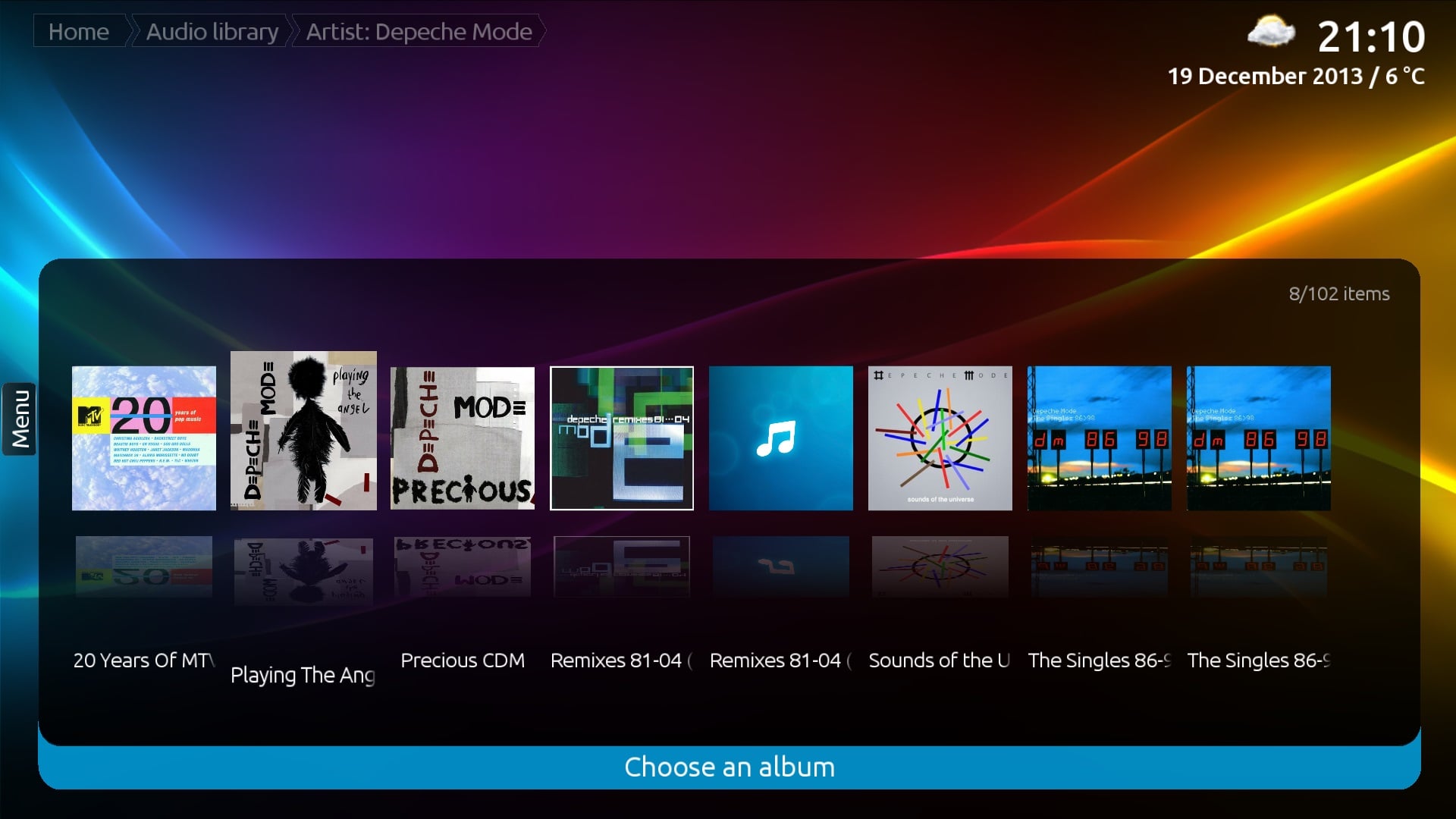
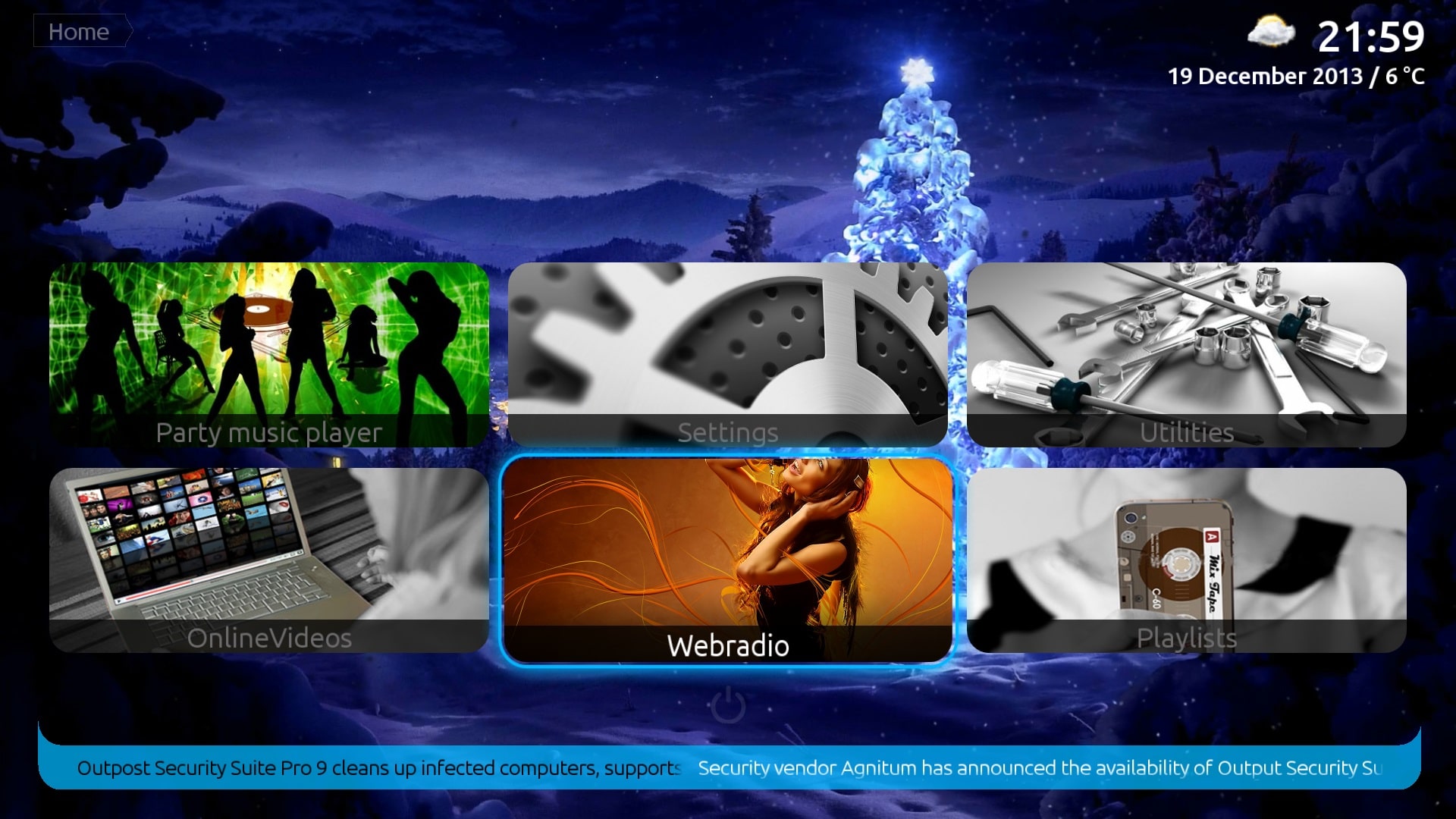
01 Alpha4 HomeVideo04 Alpha4 Covers
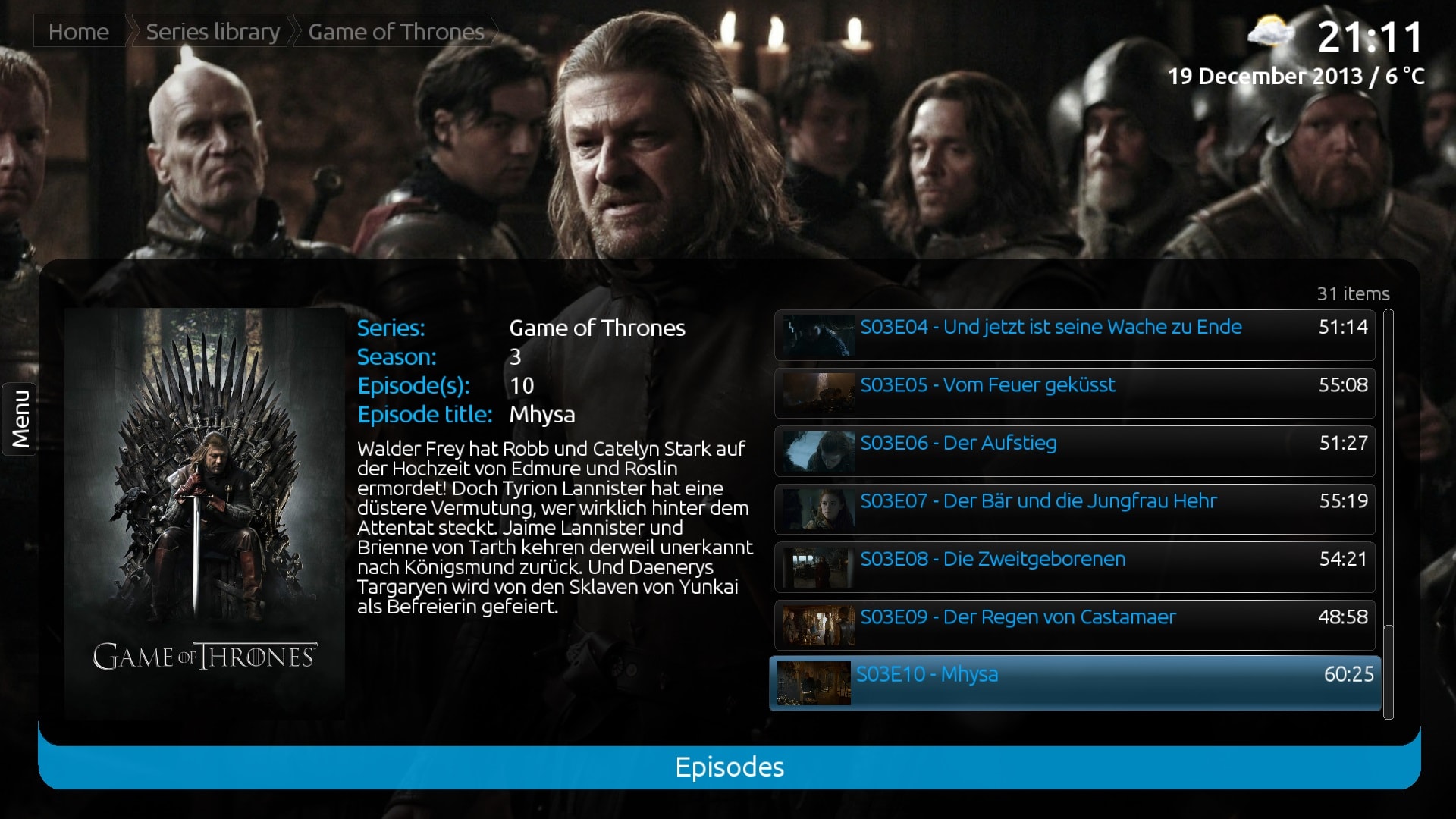
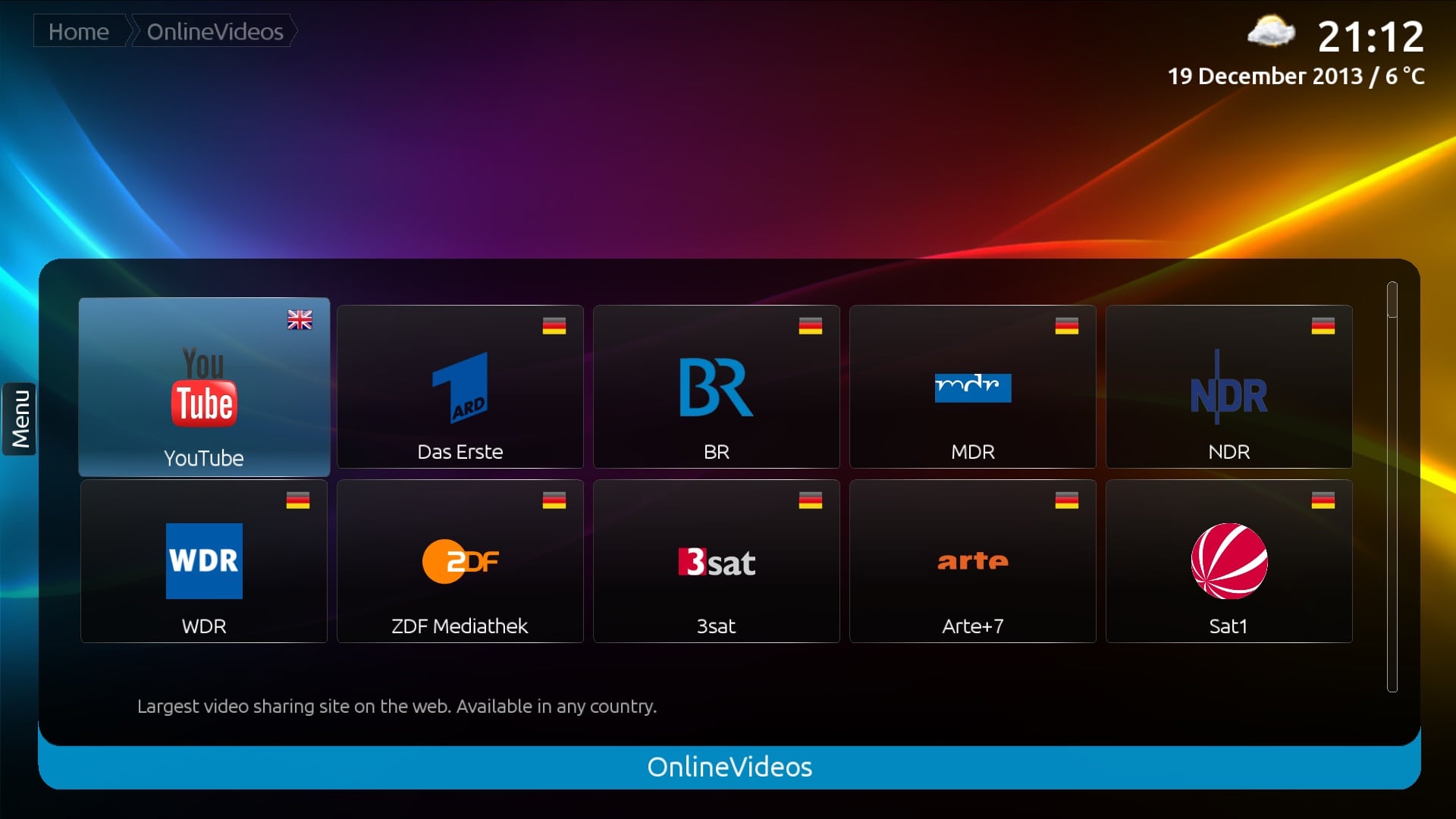
06 Alpha4 Series07 Alpha4 OV
09 Alpha4 EPG10 Alpha4 Radio copy
11 Alpha4 Radio copy12 Alpha4 Radio copy


Installation

update-icon

Before installing MediaPortal 2 make sure all requirements are installed.

Then extract the downloaded .zip archive and simply run the .msi installer file. For screenshots or further details, refer to our Getting Started wiki.

 Upgrade notes

Due to the new default database (SQLite) you cannot use an older version (SQLCE, MySQL) with the default installation. You must add your media shares again. However, performance is much improved compared to Alpha 3.

Local cached online data will be kept (like covers and backdrops).


Feedback & Support

menuv3 forum

Discuss this release in the official release thread MediaPortal 2 Alpha 4

  • If you are looking for further information please check out MediaPortal 2 wiki first. We are working constantly to improve it, and you can help!
  • If you don't find an answer there create a new thread in MediaPortal 2 forums.
  • If you find a bug, please check our Issue Tracker& bug report forums first. If it has not been reported already, create a new thread.

Download

If you would like to support MediaPortal, we would be happy to receive a small donation!

The Team wishes you a lot of fun with this new release!

.::. Download - MediaPortal 2.0 Alpha 4 .::.

.::. Download MP2 plugins .::.

.::. Post a Comment .::.

MediaPortal 1.6.0 Pre Release ready!

MediaPortal 1.6.0 Pre Release

Attached to this news you will find the Pre Release version of MediaPortal 1.6.0. Pre Releases are provided as a way for the community to test and give feedback on all the exciting things we have lined up for the next release. We allocate about one month for Pre Release testing. In that time we only do bug fixes... and then comes the final release!

Highlights of this release

Update to MySQL 5.6 to increase stability

Due to performance and stability improvements we decided to switch from MySQL 5.1 to MySQL 5.6 which comes with InnoDB as default database engine. It is more reliable than MyISAM which was the default database engine in MySQL 5.1 and the cause of many TV database crashes. 

MySQL 5.6 gets only installed if you do a clean installation. If you perform an update, MySQL 5.1 will be kept. This is because users might still want to use MySQL 5.1 for other purposes than just MediaPortal.

Enhanced TV experience

MediaPortal Icon

There were quite some improvements like fix stuttering/dropped frame problems with H.264 video streams which use mixed field/frame (interlaced/progressive) encoding e.g. UK Freeview HDTV channels aswell as handle some NZ Freeview channels which were causing problems. Recognition of DolbyDigital+ streams was added and a deadlock was fixed which leads to TV Server crashes or can cause a BSOD quite frequently on some setups.

 Music improvements

MediaPortal Icon


A lot of things have been fixed and worked on in the Music section since our last release. Below you find the most important enhancements. Hopefully you will enjoy them! 


  • Last.FM rework
    Because Last.FM changed their API, the Last.fm Radio & scrobbling functions (last.fm account needed for both!) are rewritten. As a bonus an awesome new AutoDJ function is added, which will attempt to play music forever, and you don't even need a Last.fm account for it!

  • Music Visualisations
    Music Visualisations got fixed and are now correctly listening to the beat. Furthermore while on the NowPlaying screen, you can now switch to (fullscreen) visualisations by pressing X on your keyboard. PageUp/PageDown are used to cycle through the available visualisations.
  • Allmusic.com scraper update
    As you might have noticed, the Album/Artist scraping was broken in MediaPortal 1.5 because allmusic.com changed their layout. For your convenience, this has been fixed now.
  • Gapless playback
    Gapless playback is working now and can be enabled through MediaPortal configuration.

MyVideos scraper rework for better maintainability

Not only Album/Artist scraping was broken in MediaPortal 1.5 but also Fanart/Poster scraping in MyVideos because of the TMDB API change. This has been completely fixed and was improved in a way that the MyVideos scraper can now be updated outside the MediaPortal release cycle which means we are more flexible when it comes to fix scraper issues.

Other small improvements

Besides the switch to .NET4 we also modified our core to support plugins like the amazing Auto3D plugin or the great Atmolight plugin. Furthermore we fixed a DPI scaling issue for Win 8.1 users and RefreshRate changing on multi monitor setups was fixed too.


 Full list of changes

gear-icon

You can review the complete change log for 1.6.0 Pre Release by using the link below:

Documentation of new features can be found at the following link:


Compiled Plugin related changes

menuv3 tools

Community Plugin Developers should have a look at the following page to find out about the changes which will effect their extensions.

Some of these changes are mandatory to become 1.6.0 compatible:


Installation, Upgrade, Download and Feedback

Installation

MediaPortal Icon

Since we switched to .NET4 you need to make sure you have.NET4 installed on your computer (not needed if you are on Windows 8 because it comes with .NET4). Otherwise you are not able to install MediaPortal and the installer just quits.

Download-Link: Microsoft .NET Framework 4 (Standalone Installer)

Aside from that when doing a clean installation of 1.6.0 Pre Release there is nothing else special to worry about.

Upgrade

update-icon

Upgrading from 1.2.x, 1.3.0 Alpha/Beta/RC/Final, 1.4.0 or 1.5.0 to 1.6.0 Pre Release

All MediaPortal 1.2.x, 1.3.0 Alpha/Beta/RC/Final, 1.4.0 and 1.5.0 installations can be upgraded to 1.6.0 Pre Release, without losing your settings.

Plugins:

If you are running MediaPortal 1.5.0 or earlier, then it is possible that some of your previously installed plugins will be shown as incompatible after the upgrade to 1.6.0 Pre Release! Whether or not a plugin is incompatible depends on the MediaPortal subsystems the plugin uses.

Skins:

Warning! Due to the new features and changes introduced in 1.4.0, none of the 1.3.x skins are compatible with 1.6.0 Pre Release!

Please contact the author of the skin you use for further information and updates.

Upgrading Extensions:

The easiest way to upgrade your extensions is by launching the MediaPortal Extension Installer, and let it check for updated versions. However this only works for extensions that use our MPEI system. If the author of the extension releases it as a stand alone installer, you must contact them for an updated version.

Upgrading from 1.2.0 Alpha or earlier to 1.6.0 Pre Release

All MediaPortal installations starting with 1.1.0 RC1 can be upgraded to 1.6.0 Pre Release, without losing your settings.

If you are running MediaPortal 1.2.0 Alpha or earlier, then none of your extensions (plugins and skins) will work after the upgrade to 1.6.0 Pre Release! You must update your extensions after the upgrade! 

So, please make sure that 1.6.0 Pre Release compatible versions of your extensions are available before you start the upgrade!

General note about Upgrades

Manually stop TV-Service!

television-icon

On some systems our installer is not able to update the TV-Server installation because its files are locked or the service can not be stopped.

For upgrades to 1.6.0 Pre Release we recommend that you manually stop the TV-Service and make sure, via Windows Task Manager (enable the "all users" option), that the TvService.exe process is really gone before starting to upgrade.

Custom TV-Service properties

If you manually changed the properties of the TV-Service (like restart on error options), then you must redo these changes after the upgrade. The installer is not able to save and restore your custom service properties when it installs the new version of the TV-Service.


 Feedback

menuv3 forumBugs

If you think you found a bug then please post a detailed report in our Bug Reports Forum.

Make sure your report includes all the required information. Incomplete reports will be removed to keep the forum clean.


 Download

Finally - the download. We hope that you took the time to read this release news entirely because it includes vital information about the major changes.

  If you would like to support MediaPortal, we would be happy to receive a small donation!

The Team wishes you a lot of fun with this new release!

.::. Download - MediaPortal 1.6.0 Pre Release .::.


:: Post a Comment ::

MediaPortal 1.5.0 FINAL Released

MediaPortal Icon

MediaPortal 1.5.0 Released

We are proud to announce the release of the Final version of MediaPortal 1.5.0. The download link is at the bottom of this news item. Thanks to our great community for a lot of testing during the last four weeks. Because of this we were able to provide many bugfixes in all areas and hopefully make this release the best one ever!


New features

PowerScheduler++ Integrated

In previous releases PowerScheduler was installed during the MediaPortal installation and PowerScheduler++ could be installed as an extension. With MediaPortal 1.5 we've integrated the PowerScheduler++ functionality into MediaPortal. This change should make configuration easier (Plug&Play) and provides lots of new features like scheduled system reboot, configurable away mode and more options for remote clients.

Improved IPTV Support

Today most of us receive our TV via terrestrial, cable or satellite transmissions. However, the global increase in stability and speed of the internet over the past few years is making it possible for more and more internet service providers to offer television services which you can receive via your internet connection.

MediaPortal has been able to receive so-called IPTV for about 4 years. In order to keep up-to-date with the newest IPTV transmission techniques, we've overhauled our IPTV support to ensure MediaPortal 1.5 is capable of meeting your IPTV needs now and well into the future.

CableCARD™ Tuner Support

If you live in America, are passionate about HTPCs, and haven't heard about CableCARD... chances are you've been living under a rock for the past few years!

For those of us living in other parts of the world who have no idea what a CableCARD is: maybe you're familiar with using CAMs and CI slots to receive encrypted channels from your TV provider? Well, a CableCARD is similar to a CAM.
Up until a couple of years ago if you wanted to use an HTPC to receive encrypted cable TV in America the only option was a complicated and sometimes temperamental IR blaster setup. CableCARD has finally given Americans (and some Canadians) the ability to easily use their HTPC to receive encrypted cable TV.

With MediaPortal 1.5 we've added support for CableCARD tuners... with one caveat.

Some channels or programs may not be receivable due to digital rights management (DRM) restrictions on the content. Exactly which channels are available varies between cable providers. Generally speaking, premium and "subscription" channels such as HBO, Showtime, PPV and XXX will not be receivable... but other channels like TBS, FX, TNT, USA, ESPN, NFL, MLB, Fox Sports are usually no problem. For people who are savvy with technical jargon, that means you'll be able to receive "copy freely" content.

ViewModeSwitcher Plugin Enhancements

A major update of this plugin to fix some long-standing problems, improve the performance and add continuous Black-Bar detection/removal capability.

ViewModeSwitcher enables automatic changing of the zoom mode/aspect ratio selection and can optionally perform continuous or one-shot 'Black Bar' removal, for both TV and video playback. It provides similar functionality to the Intelligent Frame Correction plugin.

Improved Video & TV Recording Thumbnails

With MediaPortal 1.5 we've added an option to change the time offset for thumbnails. Furthermore, if you use composite thumbnails (e.g. 2x2 tiles) the time between the thumbnail parts will be calculated automatically from the video duration. This means no more useless thumbnails!


Full list of changes

Aside from the main features listed above there are also many other smaller enhancements and bug fixes in this release. A big thanks goes out to all our developers who have carried on working on MediaPortal even in the European summer when there are so many other things they could do with their time.

You can review the complete change log for MP 1.5.0 at the following link:

   Documentation of new features can be found at the following link:


 Compatibility

There are no changes in MediaPortal 1.5.0 that will break compatibility with skins or extensions. Every plugin and skin which worked in MP 1.4.0 will also work in MP 1.5.0.

Windows XP support ends - Support for Windows 8.1 added

MicrosoftIn this release, Windows XP is no longer supported. When you install MediaPortal on Windows XP you will get a warning that the OS is unsupported. However, as far as we know everything still works (and we even put in a couple of XP-specific fixes) so there is no need to panic. Moving forward, in the interest of further improving MediaPortal we will start a long process of cleaning up the code base. This will involve updating the system requirements to the point where maintaining any semblance of Windows XP compatibility will be simply impossible. So, if you are using MediaPortal and Windows XP, this is a good time to think about upgrading to a more modern OS.


Installation, Upgrade, Download and Feedback

Installation

When doing a clean installation of MP 1.5.0 there is nothing special to worry about.

Upgrade

update-icon

Upgrading from 1.2.x, 1.3.0 Alpha/Beta/RC/Final, 1.4.0 or 1.5.0 pre-release to 1.5.0

All MediaPortal 1.2.x, 1.3.0 Alpha/Beta/RC/Final, 1.4.0 and of course 1.5.0 pre-release installations can be upgraded to 1.5.0 without losing your settings.

Plugins:

If you are running MediaPortal 1.3.x, then it is possible that some of your previously installed plugins will be shown as incompatible after the upgrade to 1.5.0! Whether or not a plugin is incompatible depends on the MediaPortal subsystems the plugin uses.

If you are running earlier versions of MediaPortal, it is likely that none of your plugins are compatible with 1.5.0.

If a plugin provides skin files for MediaPortal's Default skin, then the author should also check the Skin related changes.

Skins:

Warning! Due to the new features and changes introduced in 1.4.0, none of the 1.3.x skins are compatible with 1.5.0!

Please contact the author of the skin you use for further information and updates.

Upgrading Extensions:

The easiest way to upgrade your extensions is by launching the MediaPortal Extension Installer, and let it check for updated versions. However this only works for extensions that use our MPEI system. If the author of the extension releases it as a stand alone installer, you must contact them for an updated version.

Upgrading from 1.2.0 Alpha or earlier to 1.5.0

All MediaPortal installations starting with 1.1.0 RC1 can be upgraded to 1.5.0 without losing your settings.

If you are running MediaPortal 1.2.0 Alpha or earlier, then none of your extensions (plugins and skins) will work after the upgrade to 1.5.0! You must update your extensions after the upgrade! 

So, please make sure that 1.5.0 compatible versions of your extensions are available before you start the upgrade!

General note about Upgrades

Manually stop TV-Service!

television-icon

On some systems our installer is not able to update the TV-Server installation because files are locked or the service can not be stopped.

For upgrades to 1.5.0 we recommend that you manually stop the TV-Service and make sure, via Windows Task Manager (enable the "all users" option), that the TvService.exe process is really gone before starting to upgrade.

Custom TV-Service properties

If you manually changed the properties of the TV-Service (like restart on error options), then you must redo these changes after the upgrade. The installer is not able to save and restore your custom service properties when it installs the new version of the TV-Service.


Feedback

menuv3 forum

Bugs

If you think you found a bug then please post a detailed report in our Bug Reports Forum.

Make sure your report includes all the required information. Incomplete reports will be removed to keep the forum clean.


Known Issues - My Videos Downloading Fanart and Actor Details

Due to API changes scraping Fanart and Actor details in "My Videos" is currently broken. Furthermore you are not able to change covers in GUI (e.g. if you want to have a cover in your language). We think this is a main feature of MediaPortal but it was too late (and therefore not well enough tested) to include it in MP 1.5.0.

Nevertheless, in our opinion it is worth to provide a build that is MP 1.5.0 + those MyVideos scraper fixes which you can find under the link below.

Link: MediaPortal 1.5.0 Final + MyVideos internal scraper rework

In the linked Area 51 thread you will find instructions of how and what to test. We need your help with testing this so that we can include it in 1.6.0. Thanks!


Download

Finally - the download. We hope that you took the time to read this release news entirely because it includes vital information about the major changes.

 If you would like to support MediaPortal, we would be happy to receive a small donation!


The Team wishes you a lot of fun with this new release!

.::. Download - MediaPortal 1.5.0 Final .::.


Post a Comment in Forum


About The Project

The vision of the MediaPortal project is to create a free open source media centre application, which supports all advanced media centre functions, and is accessible to all Windows users.

In reaching this goal we are working every day to make sure our software is one of the best.


Quick Navigation

  • Home
  • About MediaPortal
  • Bugtracker
  • Download
  • Diese E-Mail-Adresse ist vor Spambots geschützt! Zur Anzeige muss JavaScript eingeschaltet sein!
  • Our Partners

Support MediaPortal!

The team works very hard to make sure the community is running the best HTPC-software. We give away MediaPortal for free but hosting and software is not for us.

Care to support our work with a few bucks? We'd really appreciate it!